


Kiddopia - Kids Learning Games
4.31.17K Reviews
App Specs
- Version
- 26.08.17
- Updated On
- License
- Free
- Downloads
- 5,000,000+
- Developer
- Kiddopia Inc.
- Categories
- Education
- Platform
- Android, iOS
Screenshots


 Analysis by AppCompare
Hey there! So, I recently got a chance to dive into an app that promises to blend fun and learning seamlessly for the little ones. Yes, I’m talking about Kiddopia - Kids Learning Games. If you’ve got kiddos under the roof, you're gonna want to hear about this one. It’s like having a pocket-sized teacher and playground all rolled into one. Let’s break it down, shall we?
Where it fits into a family’s day
I see the strongest use for this kind of children’s learning app in short, supervised stretches: a quiet moment before dinner, a rainy afternoon, or a wait that would otherwise feel endless to a young child. It can offer a more purposeful choice than handing over a phone and letting a child wander through unrelated videos. I would still treat it as an activity, not as a replacement for reading together, drawing on paper, or talking through a child’s questions.
A practical approach is to choose one activity together, let your child explore it, then ask them to tell you what they made or noticed. That small follow-up helps turn screen time into a conversation rather than a way to fill time passively. It also gives you a quick sense of whether the activity is holding their attention for the right reasons or whether they are simply tapping through to reach the next animation.
Choosing it over other learning options
Compared with a single-purpose alphabet or counting app, Kiddopia’s appeal is breadth: language, numbers, puzzles, art, and music sit within one place. That variety can be handy for siblings or for a child whose interests change from day to day. The trade-off is that a broad collection may not provide the sustained, step-by-step practice a family wants for one specific skill. If your main goal is focused phonics practice, for example, a dedicated reading resource may be a better fit; if you want one flexible place to browse different kinds of play, this app makes more sense.
It also differs from open-ended video platforms. Here, children are choosing activities rather than relying on a stream of clips, which gives a parent a clearer starting point for shared play. Still, an educational label does not make every minute automatically enriching. I’d pay attention to whether my child is thinking, trying again, or creating something, rather than judging the session by how long the screen keeps them occupied.
A low-pressure way to try it
The app is free to download, but it includes in-app purchases, with individual items priced from under a dollar to just under a hundred dollars. I’d check the purchase details with a parent before letting a child use the device independently, and I wouldn’t assume that every activity is available without payment. The free starting point is useful for seeing whether the style suits your child; before committing to anything, I’d let them try different kinds of activities and see if their interest lasts beyond the first colorful screen.
One useful test is to watch how your child handles a challenge. Do they pause to count, listen, or make a choice, or do they tap quickly without engaging? That observation can help you decide whether to guide them, switch to another activity, or put the device away. It is also a better measure of fit than the number of games on offer: a smaller set that invites conversation may be more valuable for your family than a large menu your child rushes through.
Worth Reading Before You Choose

EA SPORTS FC Mobile 26 Is a Bigger Football Game, but It Takes Time

Flipboard Shows What News Apps Must Do Beyond the Feed

Switching to Android Auto Means Rethinking Your Driving Routine

Google Calendar Makes a Crowded Week Easier to Manage

Ludo King Makes the Most of the Minutes Between Plans

Baby Panda World Brings Quick Play to Modern Phones, but Its Game Library Feels Busy
First Impressions: A Splash of Colors and Sounds
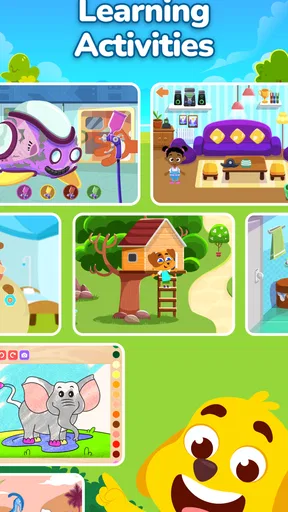
From the moment I opened Kiddopia, I was greeted by a vibrant explosion of colors and playful sounds. It’s no surprise that kids get hooked right from the get-go. The app's interface is super intuitive, so even if your kid isn’t exactly tech-savvy, they’ll figure it out in no time. The characters are adorably animated, and the sound effects are perfectly designed to keep those little hands and minds engaged.
What’s Inside the Box: Features Galore
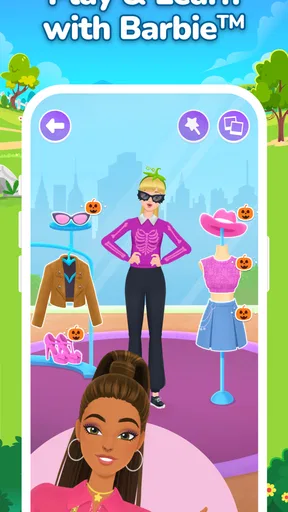
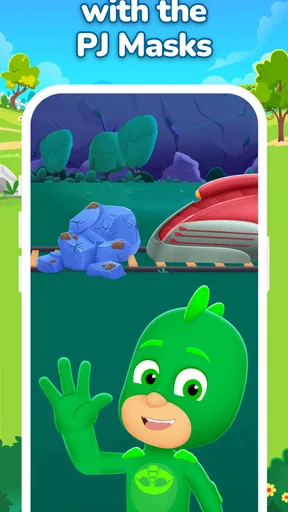
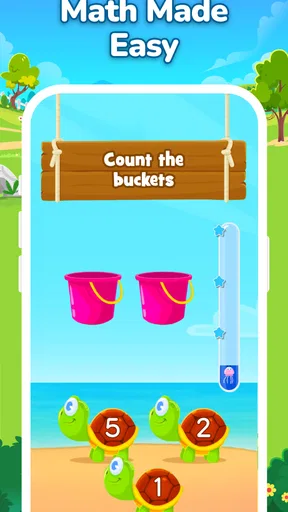
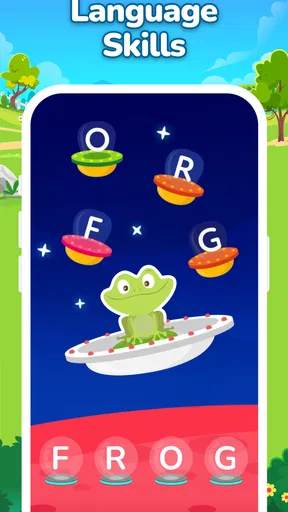
Okay, let’s talk about what's packed inside this digital wonderland. Kiddopia is brimming with a diverse range of activities that target different aspects of a child's development. From language and math to creativity and general knowledge, it covers a broad spectrum.
- Language Skills: Kiddopia includes games that help children with basic vocabulary and phonics. The word games are fun and encourage kids to learn new words effortlessly.
- Math and Logic: There are numerous counting games and puzzles. My personal favorite is the counting game with cute animals that helps kids understand numbers and basic arithmetic.
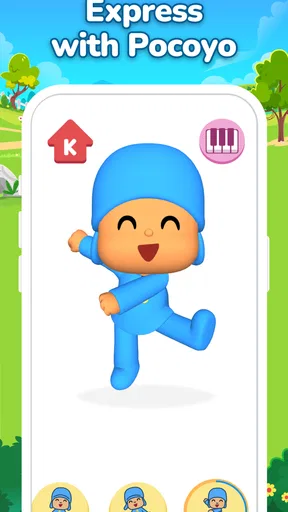
- Creativity: The app offers art and music sections where kids can unleash their creativity. Whether it’s coloring pictures or composing little tunes, there’s plenty to keep their artistic juices flowing.
Each activity is crafted to be educational yet entertaining, ensuring that kids learn while having a blast. It’s the kind of learning where the fun doesn’t feel like a chore, which is precisely what parents hope for, right?
Kid-Friendly Navigation
One thing that stood out to me is how kid-friendly the navigation is. Everything is designed with little fingers in mind. The buttons are large, and the design is straightforward, so kids won’t get lost or frustrated while trying to find their favorite game. This ease of use helps foster independence in kids as they use the app.
Safety and Ad-Free Experience
For many parents, safety is a top concern when it comes to kids using apps. Kiddopia takes this seriously. The app is ad-free, which means there are no pesky advertisements popping up and distracting your child. Plus, the content is age-appropriate and designed to be safe for kids, so you can hand over your phone or tablet without worrying about what they might stumble upon.
Subscription Model: Worth It?
Now, let’s talk dollars and cents. Kiddopia operates on a subscription model. There’s a free trial period, which is great for test-driving the app to see if it’s the right fit for your family. After that, you’ll need to subscribe to access the full range of features. Considering the extensive content and the quality of the games, I’d say it’s a worthy investment for many families.
Who I’d recommend it to—and who should look elsewhere
I’d consider it for a preschool-age child who enjoys switching between playful activities and benefits from a parent nearby to chat about what they are doing. The age rating is Everyone, but that broad label does not tell you whether the difficulty, pace, or style will suit a particular child. I’d make the decision based on how your own child responds to the activities, rather than expecting one app to fit every age or learning need.
Families looking for a structured course, a specific curriculum, or a tool to track progress may prefer a resource built around those goals. Kiddopia’s broad mix is more naturally suited to exploration than to a parent-led lesson plan. Likewise, if your child already has plenty of screen time or strongly prefers physical play, there is no need to force the app into the routine just because it is educational. A paper counting game or a story shared on the sofa may be the better choice on that day.
Making a session work without handing over the whole afternoon
In an everyday scenario, I’d set the tablet out while preparing a meal, sit nearby for the first few minutes, and invite my child to pick one activity rather than treating the app as an open-ended buffet. If they choose a counting game, I might ask them to count real pieces of fruit afterward; if they spend time drawing or making music, I’d ask them to show me one choice they liked. The point is not to turn every tap into a lesson, but to connect the play to something beyond the screen.
A second useful habit is to end on a clear stopping point. Children can find it hard to leave an engaging activity, so I’d give a gentle warning and help them finish what they are doing before closing the app. That makes the transition less abrupt and gives the child a chance to describe their activity. If the app repeatedly causes arguments at stopping time, that is a real drawback for your household, even if the content itself is appealing.
What the version history can—and cannot—tell you
Kiddopia is an education app from Kiddopia Inc. It first appeared on June 26, 2018, and its current version is 26.02.16. That tells me the product has continued to receive version changes over time, but a version number alone does not reveal which activities were added, revised, or removed. I would avoid assuming that a newer build means a particular learning improvement; the practical test is whether the current app still feels easy for your child to navigate and offers activities they want to return to.
For an existing family, an update is most useful when it keeps the app working well on the device and preserves a familiar experience. If a child has a favorite activity, I’d let them explore after an update and check that they can still find it without frustration. When considering the app for the first time, the current version matters less than the everyday fit: the child’s interests, your comfort with in-app purchases, and whether you want variety or a more focused learning path.
What parents may want to check first
The app has a 4.0 average from around 16,000 ratings, and it has been installed over five million times. Those figures suggest it has found a sizable audience, but popularity cannot tell me whether a particular child will enjoy it or whether its activities match a family’s expectations. I’d treat the rating as background, then make a small trial session the deciding factor.
It is listed as free, with in-app purchases ranging from $0.99 to $99.99 per item. The practical question is not just whether you can install it without paying, but what your child can do before a purchase is needed and whether the available choices feel worthwhile to you. I’d review purchase settings before handing over a device, especially if a young child can tap through menus. The minimum operating system is version 8.0, which is helpful to know when checking an older device, though performance can still depend on the device itself.
Parents also often wonder whether a child can use it alone. The simple navigation may make it easier for a young user to move around, but I’d still start together. That gives you a chance to see which activities hold attention, explain how to move between them, and set expectations about when the session ends. Independence can grow once the child understands the routine; it does not have to mean leaving them with the device from the first use.
Another question is whether it replaces other learning tools. I wouldn’t use it as a substitute for books, conversation, or hands-on play. Its value is that it can add a different kind of practice and creative choice to the day. If your child needs targeted instruction or you want clear evidence of progress, a specialist learning resource or guidance from an educator will be more appropriate. If your goal is varied, approachable activities that can prompt a little shared discussion, it has a clearer role.
What I’d watch as the app evolves
With an established app, I’d pay attention to whether future changes keep the balance that makes it appealing: quick access for a child, enough variety to suit different moods, and activities that invite more than rapid tapping. I’d also check whether pricing and access still make sense for my family before making any recurring commitment. Those are the things that affect day-to-day usefulness more than a version label by itself.
My overall view is that Kiddopia is at its best as a flexible, parent-aware option for short bursts of playful learning, not as a complete teaching plan or an automatic babysitter. The developer is Kiddopia Inc., and the app is free to start, with in-app purchases to consider. Give it a try if your child likes colorful, varied activities and you are happy to guide the first sessions; choose something more focused if you need a defined learning sequence or measurable progress. That distinction makes it easier to decide whether it belongs in your family’s routine.
Wrapping It Up: A Must-Have for Curious Minds
In the end, Kiddopia - Kids Learning Games scores high on my list of educational apps for kids. It’s colorful, engaging, and packed with learning opportunities. Whether you’re looking to supplement your child’s learning at home or just want an app that keeps them occupied while you’re busy, Kiddopia is a fantastic choice. The app manages to balance education and entertainment beautifully, ensuring that kids not only learn but also enjoy the process. So, if you haven’t checked it out yet, I’d suggest giving it a whirl. It might just become a favorite in your household!
Pros
- Engaging educational content for kids.
- Colorful graphics capture children's attention.
- Easy navigation for young users.
- Regular updates with new activities.
- Ad-free environment ensures safe play.
Cons
- Requires subscription for full access.
- Limited content in free version.
- Needs internet for some features.
- May not suit older kids' learning level.
- Occasional app crashes reported.
FAQs for Kiddopia - Kids Learning Games
What age group is Kiddopia suitable for?
Kiddopia is designed for children between the ages of 2 to 7 years. The app offers a variety of educational games and activities that cater to early childhood learning stages, ensuring that both toddlers and preschoolers can benefit from its engaging content. Parents can be assured that the materials are age-appropriate and safe.
What subjects does Kiddopia cover?
Kiddopia encompasses a wide range of subjects including math, language arts, creativity, and social skills. Kids can learn basic arithmetic, improve their vocabulary, engage in creative arts, and develop social skills through interactive games. The app aims to provide a holistic educational experience that goes beyond traditional learning.
Is an internet connection required to use Kiddopia?
No, an internet connection is not required to access most of Kiddopia’s features. Once the app is downloaded, children can enjoy the majority of the games and activities offline. This makes it convenient for parents to allow their kids to play and learn anytime, anywhere, without worrying about connectivity issues.
Does Kiddopia have in-app purchases?
Yes, Kiddopia offers in-app purchases. While the app provides a variety of free content, there are additional features and activities that can be unlocked through subscription plans. Parents should be aware of these options and manage settings to prevent unauthorized purchases if needed.
Is Kiddopia safe for kids to use?
Kiddopia is designed with child safety in mind. The app is ad-free, ensuring that children do not encounter inappropriate content. Additionally, it follows strict privacy policies and does not collect personal data from users. Parents can feel confident knowing that their children are engaging with a secure and child-friendly platform.


